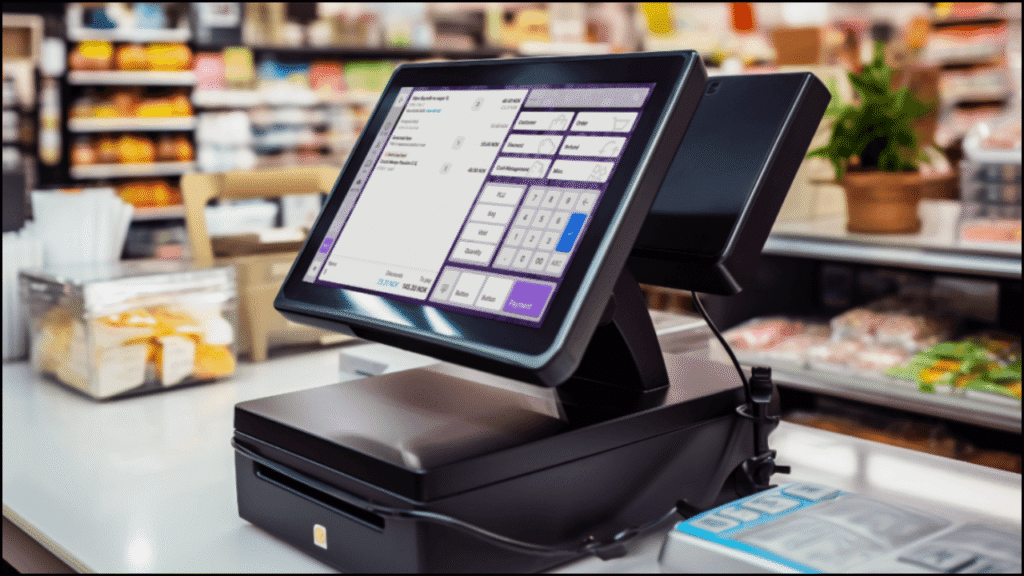
A subscription-based model becomes most effective when it seamlessly integrates with your existing Point of Sale (POS) and Customer Relationship Management (CRM) systems. Integration ensures that customer data, billing, and service management work together without errors or delays. Businesses that connect subscriptions with POS and CRM platforms gain a complete view of customer behavior, streamline operations, and improve retention. This article explores the process, benefits, and best practices for integrating subscriptions with POS and CRM systems.
Table of Contents
Understanding the Importance of Integration
Integration creates a unified system where all customer and payment information is accessible in one place. Instead of managing multiple tools separately, businesses can automate workflows, track transactions, and deliver personalized experiences.
- Centralized Customer Data: Integration consolidates customer profiles, subscription history, and purchase details.
- Improved Accuracy: Automatic synchronization reduces manual data entry errors.
- Efficient Billing and Renewals: Payment details and renewals update automatically across systems.
- Enhanced Customer Service: Support teams access real-time insights to assist customers faster.
- Better Decision-Making: Combined analytics help businesses understand trends and optimize performance.
1. Preparing for Integration
Preparation ensures smooth integration and minimal disruption to existing operations.
- Audit Current Systems: Review POS and CRM compatibility with your subscription platform.
- Define Goals: Identify what you want from integration—better reporting, automation, or customer tracking.
- Map Data Flow: Understand how customer data, payments, and renewals will move between systems.
- Check API Availability: Ensure all platforms support API-based integration for smooth communication.
- Test on a Sandbox Environment: Experiment in a test setup before full deployment.
Key Preparation Steps for Integration
| Step | Action Required | Outcome |
|---|---|---|
| System Audit | Check platform versions and plugins | Identify potential compatibility issues |
| Goal Setting | Define business objectives | Create focused integration plan |
| Data Mapping | Determine data transfer points | Ensure consistent customer records |
| API Verification | Confirm available endpoints | Enable real-time synchronization |
| Testing Phase | Run in sandbox mode | Reduce risk of live errors |
2. Choosing the Right Subscription Management Platform
Selecting the right subscription management system is crucial for integration success.
- Compatibility: The platform must integrate with leading POS systems (e.g., Square, Shopify POS) and CRMs (e.g., Salesforce, HubSpot).
- Scalability: Ensure the system can handle business growth and an expanding customer base.
- Automation Features: Look for recurring billing, renewal reminders, and automatic data sync.
- Security Standards: Choose a platform that complies with PCI-DSS for payment security.
- Custom Integration Support: Ensure availability of developer tools and APIs for tailored workflows.
Example of Compatible Integration Platforms
| Subscription Platform | Compatible POS Systems | Compatible CRMs |
|---|---|---|
| Subitt | Shopify POS, Square | HubSpot, Zoho CRM |
| Recurly | Lightspeed, Clover | Salesforce, Microsoft Dynamics |
| Chargebee | Vend, Toast | Pipedrive, Freshsales |
| Zuora | Revel, Square | Salesforce, HubSpot |
3. Integrating Subscriptions with POS Systems
POS integration allows businesses to manage both one-time and recurring purchases through a unified interface.
- Connect Subscription and POS Databases: Synchronize customer and product data between systems.
- Enable Recurring Payments: Allow the POS to process subscription renewals automatically.
- Automate Receipt Generation: Generate receipts instantly for both in-store and online renewals.
- Track Inventory in Real-Time: Update stock levels automatically for physical subscription items.
- Link Customer Profiles: Assign each POS transaction to a unique customer profile for accurate tracking.
POS Integration Benefits
| Feature | Function | Business Benefit |
|---|---|---|
| Unified Billing | Combines one-time and recurring payments | Simplifies financial management |
| Real-Time Inventory | Syncs subscription deliveries with stock | Prevents overselling or shortages |
| Automated Renewals | Processes recurring payments automatically | Reduces administrative workload |
| Customer Purchase History | Tracks store and online activity | Supports personalized recommendations |
4. Integrating Subscriptions with CRM Systems
CRM integration focuses on improving relationships by combining subscription data with customer insights.
- Sync Subscriber Profiles: Merge subscription details with CRM contact records.
- Automate Follow-Ups: Trigger emails or messages for renewals, upgrades, or reminders.
- Segment Subscribers: Categorize users by plan, usage, or engagement for targeted communication.
- Monitor Customer Lifecycle: Track behavior from signup to renewal or cancellation.
- Generate Predictive Insights: Use CRM analytics to forecast churn and identify upsell opportunities.
CRM Integration Benefits
| Feature | Function | Customer Impact |
|---|---|---|
| Subscriber Segmentation | Organizes users by behavior or plan | Enables personalized marketing |
| Automated Communication | Sends reminders and updates | Enhances engagement |
| Churn Prediction | Identifies at-risk customers | Improves retention through early action |
| Renewal Tracking | Monitors upcoming renewals | Ensures timely reminders |
5. Automating Key Workflows
Automation eliminates repetitive manual tasks while improving efficiency.
- Billing Automation: Automatically charge renewals and update payment records in both systems.
- Customer Notifications: Send automated emails or SMS about renewals, payment issues, or offers.
- Analytics and Reports: Generate integrated reports from both systems for deeper insights.
- Support Ticket Triggers: Create customer service tickets automatically from CRM when issues arise.
Example: Automated Workflows for Integration
| Workflow | Triggered By | Automated Action |
|---|---|---|
| Renewal Reminder | Subscription nearing expiry | Email notification sent via CRM |
| Failed Payment Alert | Payment declined in POS | Customer notified for update |
| Upsell Campaign | Customer renews plan | CRM sends upgrade offer |
| Churn Alert | Subscription cancellation detected | Support team notified |
6. Maintaining Data Consistency and Security
Consistency and security ensure that integration supports business growth without risking data accuracy or privacy.
- Use Data Validation Rules: Prevent duplication or mismatched entries across systems.
- Schedule Syncs: Automate synchronization intervals to keep records updated.
- Comply with Data Protection Laws: Adhere to GDPR or regional privacy standards.
- Backup Regularly: Maintain backups of CRM and POS data to prevent loss.
- Encrypt Sensitive Data: Use end-to-end encryption for customer and payment information.
7. Training Teams for Smooth Transition
Employee training ensures everyone understands how to use the integrated system efficiently.
- Conduct Workshops: Demonstrate how subscription data appears in POS and CRM dashboards.
- Create User Guides: Document common workflows, such as renewals or refunds.
- Encourage Collaboration: Ensure sales, support, and finance teams share data seamlessly.
- Monitor Early Usage: Identify issues quickly during the initial implementation phase.
8. Monitoring and Optimizing Post-Integration Performance
Once integration is live, continuous optimization helps achieve better results.
- Track Key Metrics: Monitor renewal rates, churn, and customer satisfaction levels.
- Review Automation Logs: Ensure automated workflows run without errors.
- Collect Feedback: Ask teams for improvement suggestions.
- Plan for Scalability: Prepare to handle larger subscriber volumes efficiently.
Key Performance Metrics to Monitor
| Metric | Purpose | Insight Provided |
|---|---|---|
| Renewal Rate | Measure subscription longevity | Indicates retention success |
| Churn Rate | Track lost subscribers | Identifies satisfaction gaps |
| Payment Success Rate | Evaluate billing efficiency | Shows POS performance |
| Response Time | Measure customer service speed | Reflects CRM effectiveness |
9. Common Integration Challenges and Solutions
Integration can face obstacles if not properly planned.
| Challenge | Cause | Solution |
|---|---|---|
| Data Duplication | Inconsistent data formats | Use validation rules and deduplication tools |
| API Limitations | Restricted endpoints in one platform | Use middleware or third-party connectors |
| Delayed Syncing | Poor automation settings | Schedule frequent synchronization |
| Employee Resistance | Lack of training | Provide onboarding and support |
10. Best Practices for Seamless Integration
- Start Small: Begin with one system and expand gradually.
- Maintain Clean Data: Regularly audit and remove outdated records.
- Use Reliable Middleware: Tools like Zapier or Integromat can simplify integration.
- Set Clear Permissions: Restrict sensitive data access to authorized staff.
- Evaluate Regularly: Perform quarterly reviews to identify areas for improvement.
Key Takeaways
Integrating subscriptions with POS and CRM systems transforms how businesses operate and engage with their customers. A unified system streamlines billing, centralizes customer data, and enhances personalization. When executed with clear goals, proper automation, and strong data security, integration boosts efficiency and customer satisfaction. By combining real-time analytics and seamless workflows, businesses can focus more on building relationships and less on manual management—ensuring sustainable subscription growth.